Cloud storage has become a daily necessity. Students, professionals, and businesses all rely on cloud computing to store files, share data, and work remotely.
Many users struggle to choose the best cloud storage service. The most common confusion is between Google Drive vs Dropbox. Both are popular, reliable, and widely used, but they serve slightly different needs.
In this detailed comparison, you will learn which cloud storage service is better for security, pricing, features, and long-term usage. This guide is written in simple English and focuses on real-world use cases.
What Is Cloud Storage and Why It Is Important
Cloud storage is a technology that allows users to store files on remote servers instead of local devices. These files can be accessed anytime using the internet.
Cloud computing helps users avoid data loss, manage storage space, and collaborate easily. It is widely used with SaaS platforms, digital marketing tools, and web hosting services.
Key benefits of cloud storage include:
- Anywhere access to files
- Automatic backups
- Better data privacy
- Easy collaboration
- Reduced hardware dependency
Overview of Google Drive
Google Drive is a cloud storage service by Google. It integrates deeply with Google Workspace tools like Docs, Sheets, and Gmail.
Google Drive is popular among students, freelancers, and businesses because of its ease of use and strong collaboration features.
It is often used for cloud-based software solutions, document sharing, and team collaboration.
Overview of Dropbox
Dropbox is one of the earliest cloud storage platforms. It focuses on file syncing, sharing, and simplicity.
Dropbox is widely used by professionals, creative teams, and businesses that need reliable file management.
It works well with many third-party software solutions and SaaS platforms.
Google Drive vs Dropbox: Core Feature Comparison
Understanding core features helps users decide which service fits their needs.
Feature Comparison Table
| Feature | Google Drive | Dropbox |
|---|---|---|
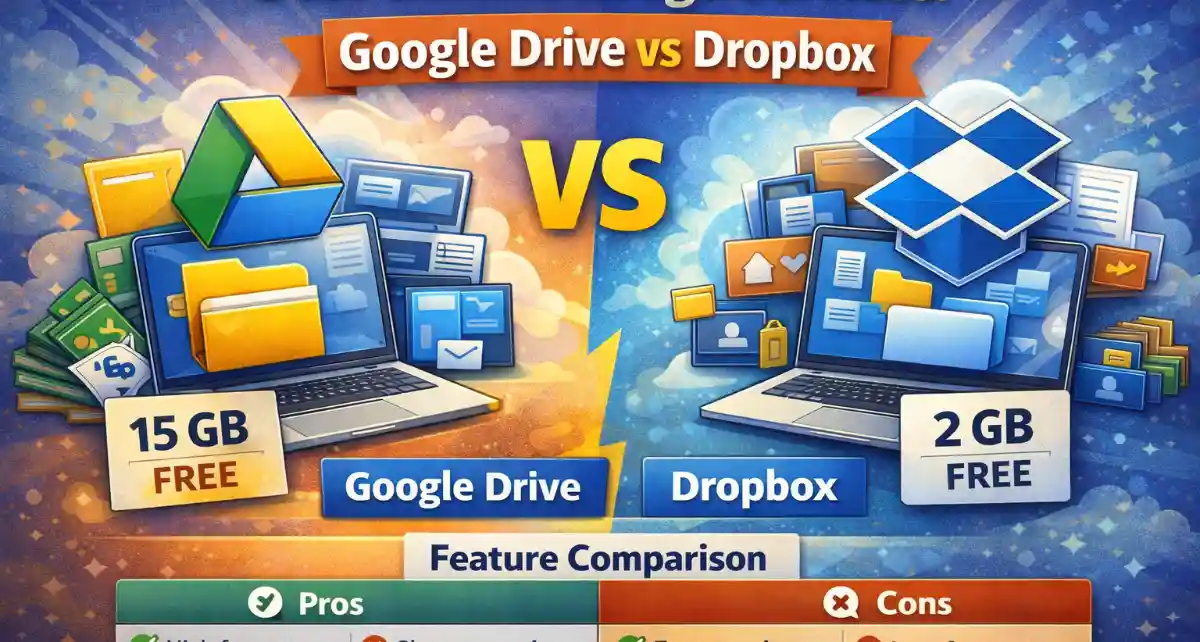
| Free storage | 15 GB | 2 GB |
| File syncing | Yes | Excellent |
| Collaboration tools | Built-in | Limited |
| Third-party integrations | Moderate | Strong |
| Ease of use | Very easy | Simple & clean |
Google Drive focuses on productivity, while Dropbox focuses on file management.
Storage Plans and Pricing Comparison
Pricing is a major factor when choosing a cloud storage service.
Google Drive offers affordable plans with more storage. Dropbox plans are slightly expensive but offer advanced features.
Pricing Comparison Table
| Plan Type | Google Drive Price | Dropbox Price |
|---|---|---|
| Free plan | 15 GB | 2 GB |
| Entry paid plan | Lower cost | Higher cost |
| Business plans | Affordable | Premium |
| Value for money | High | Moderate |
Google Drive is more budget-friendly for individual users.
File Sharing and Collaboration Experience
Google Drive is designed for real-time collaboration. Multiple users can edit files simultaneously.
Dropbox focuses more on file sharing rather than live editing.
Collaboration Comparison Table
| Feature | Google Drive | Dropbox |
|---|---|---|
| Real-time editing | Yes | No |
| Commenting system | Advanced | Basic |
| Team collaboration | Excellent | Good |
| Version history | Yes | Yes |
For teamwork and academics, Google Drive has an advantage.
Security, Cybersecurity, and Data Privacy
Security is a top concern when storing data online. Both platforms invest heavily in cybersecurity.
Google Drive and Dropbox use encryption to protect files. However, security tools and controls differ slightly.
Security Comparison Table
| Security Feature | Google Drive | Dropbox |
|---|---|---|
| Data encryption | Yes | Yes |
| Two-factor authentication | Yes | Yes |
| Ransomware protection | Limited | Advanced |
| Compliance standards | Strong | Strong |
For sensitive data, using VPN software along with cloud storage improves online security.
Performance and Sync Speed
Fast syncing is essential for productivity. Dropbox is known for its fast and reliable sync performance.
Google Drive performs well but may be slower with large files.
Performance Comparison Table
| Aspect | Google Drive | Dropbox |
|---|---|---|
| Sync speed | Good | Excellent |
| Large file handling | Moderate | Strong |
| Offline access | Yes | Yes |
| Reliability | High | Very high |
Creative professionals often prefer Dropbox for heavy file syncing.
Integration with Software Solutions and SaaS Platforms
Both services support integrations, but Dropbox offers more flexibility with third-party tools.
Google Drive works best within the Google ecosystem.
Integration Comparison Table
| Integration Type | Google Drive | Dropbox |
|---|---|---|
| Google Workspace | Excellent | Limited |
| Third-party apps | Moderate | Extensive |
| Digital marketing tools | Yes | Yes |
| Web hosting services | Yes | Yes |
Dropbox is preferred by users who rely on multiple SaaS platforms.
Cloud Storage for Students and Education
Students use cloud storage for assignments, notes, and collaboration.
Google Drive is widely used in education due to free storage and built-in tools.
Dropbox is useful for file sharing but less common in academic settings.
Student Use Comparison Table
| Feature | Google Drive | Dropbox |
|---|---|---|
| Free storage amount | High | Low |
| Document editing | Built-in | External |
| Group projects | Easy | Moderate |
| Accessibility | Excellent | Good |
Google Drive is generally better for students.
Cloud Storage for Businesses and Professionals
Businesses need reliable storage, security, and collaboration features.
Dropbox offers advanced admin controls and file recovery tools.
Google Drive provides excellent collaboration but may lack some advanced file controls.
Business Use Comparison Table
| Requirement | Google Drive | Dropbox |
|---|---|---|
| Team management | Good | Excellent |
| File recovery | Basic | Advanced |
| Admin controls | Moderate | Strong |
| Scalability | High | High |
Dropbox is often preferred by professional teams.
AI Tools and Smart Features
AI tools are becoming common in cloud services.
Google Drive uses AI for search, file suggestions, and document assistance.
Dropbox uses AI for file organization and smart previews.
AI Feature Comparison Table
| AI Feature | Google Drive | Dropbox |
|---|---|---|
| Smart search | Yes | Yes |
| File recommendations | Yes | Limited |
| Productivity AI tools | Strong | Moderate |
Google Drive leads in AI-powered productivity.
Data Backup and Recovery Options
Data loss can be costly. Backup and recovery features are important.
Dropbox offers advanced file recovery and ransomware rollback.
Google Drive provides basic version history and recovery.
Backup Comparison Table
| Feature | Google Drive | Dropbox |
|---|---|---|
| File versioning | Yes | Yes |
| Ransomware recovery | Limited | Strong |
| Deleted file restore | Yes | Yes |
Dropbox is stronger in disaster recovery scenarios.
Pros and Cons of Google Drive
Google Drive Pros and Cons Table
| Pros | Cons |
|---|---|
| Large free storage | Sync speed can be slower |
| Excellent collaboration tools | Less advanced file control |
| Affordable pricing | |
| Strong AI integration |
Google Drive is ideal for everyday users and students.
Pros and Cons of Dropbox
Dropbox Pros and Cons Table
| Pros | Cons |
|---|---|
| Fast and reliable syncing | Very limited free storage |
| Strong file recovery | Higher pricing |
| Excellent third-party integrations | Fewer built-in editing tools |
Dropbox suits professionals and creative teams.
Best Practices for Using Cloud Storage Safely
Regardless of the platform, users should follow safety practices.
Important tips include:
- Enable two-factor authentication
- Use strong passwords
- Avoid sharing sensitive links publicly
- Use VPN software on public Wi-Fi
- Regularly review access permissions
These practices improve data privacy and online security.
Which Is the Best Cloud Storage Service Overall?
The best cloud storage depends on usage.
Google Drive is best for students, beginners, and collaborative work. It offers more free storage and productivity tools.
Dropbox is best for professionals who need fast syncing, advanced recovery, and strong integrations.
There is no one-size-fits-all answer.
Final Verdict: Google Drive vs Dropbox
Google Drive offers better value, collaboration, and AI-powered features. It is ideal for cloud computing beginners and academic users.
Dropbox offers superior sync performance, file control, and recovery features. It is better suited for professional and business use.
Choosing the best option depends on storage needs, budget, and work style.
FAQs About Google Drive vs Dropbox
Many users ask whether Google Drive is safe for storing important files. Google Drive uses strong encryption and security practices, making it safe for most users when basic security steps are followed.
Another common question is whether Dropbox is worth paying for. Dropbox is worth the cost for users who need fast syncing, professional file sharing, and advanced recovery features.
People also ask which cloud storage is better for businesses. Dropbox is often preferred by businesses due to better admin controls, while Google Drive excels in collaboration.
Some users wonder if using cloud storage affects data privacy. Data privacy depends on security settings, password strength, and safe usage habits on both platforms.
Finally, users ask if cloud storage can replace physical storage. Cloud storage is reliable, but combining it with local backups is the safest approach for long-term data protection.
Conclusion:
Both Google Drive and Dropbox are top cloud storage services. The best choice depends on whether you value collaboration and affordability or performance and advanced control. Understanding your needs will help you choose the right cloud storage solution with confidence.